

Description
Download 1 More WaterMarker – Free Photo Watermarking Tool
Overview
In a world where images travel faster than ever, protecting your visual assets has become a priority for photographers, designers, and content creators alike. 1 More WaterMarker steps in as a dedicated, free solution that lets you embed visible or hidden watermarks onto any picture with just a few clicks. Whether you need a discreet signature, a bold brand logo, or a hidden text note that survives most editing workflows, this tool gives you full control over placement, opacity, font, color, and size. Its batch‑processing engine can handle thousands of files in one go, saving hours that would otherwise be spent on manual editing. Moreover, the semi‑automatic mode lets you fine‑tune each watermark individually, ensuring that every image looks professional without sacrificing creative freedom. The application also supports a “hidden text” feature, which writes invisible metadata into PNG and BMP files, adding an extra layer of protection for your intellectual property. While JPEG compression disables hidden text, the tool still offers robust visible watermarking for that format. Overall, 1 More WaterMarker is a lightweight yet powerful app that balances ease of use with advanced options, making it an ideal choice for anyone who wants to secure their photos without paying for expensive software suites.
Key Features
- Custom Text Watermarks: Choose any font, color, size, and opacity. Position the text precisely by setting distances from the image borders.
- Graphic Emblem Support: Import PNG, SVG, or BMP logos and overlay them on photos. Scale and rotate the emblem to match your design.
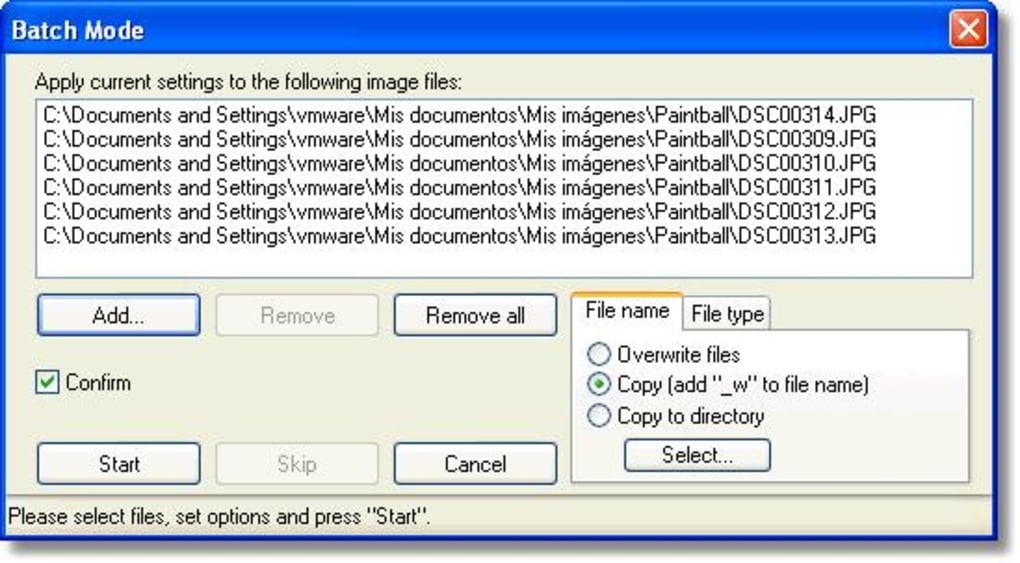
- Batch Processing Engine: Add watermarks to hundreds or thousands of images in a single operation. The queue runs in the background, allowing you to continue working.
- Semi‑Automatic Mode: Review each image after the bulk operation and make per‑file adjustments without restarting the whole batch.
- Hidden Text Embedding: Write invisible notes into PNG/BMP files that survive most editing tools. Ideal for hidden copyright claims.
- Precise Positioning: Select corners, edges, or custom coordinates. Set exact pixel offsets to keep watermarks consistently placed.
- Intensity Control: Adjust watermark opacity from a faint 10 % to a solid 100 % to match the visual style of your portfolio.
- Export Options: Save watermarked images in original format or convert them to JPEG, PNG, or TIFF while preserving quality.
- Multi‑Language Interface: The UI is available in English, Spanish, French, German, and more, making it accessible worldwide.
- Free & Secure: No hidden fees, no telemetry, and regular updates ensure the software stays safe and compatible.
Installation & Usage Guide
Step‑by‑Step Installation
1. Download the Installer: Visit the official website and click the “Download for Windows/macOS” button. The file is a small .exe (Windows) or .dmg (macOS) package, typically under 20 MB.
2. Run the Installer: Double‑click the downloaded file. Windows users will see a standard setup wizard; macOS users will drag the app icon into the Applications folder. Follow the on‑screen prompts, accept the license agreement, and choose the destination folder.
3. Launch the Application: After installation, open 1 More WaterMarker from the Start menu or the Applications folder. The first launch may ask for permission to access your Pictures folder—grant it to enable batch processing.
Creating Your First Watermark
1. Import Images: Click the “Add Files” button or drag‑and‑drop a folder into the main window. The program automatically generates thumbnails so you can preview each picture.
2. Choose Watermark Type: Select “Text” to type a signature or “Graphic” to load a logo file. For text, you can pick from over 100 Google Fonts; for graphics, supported formats include PNG, SVG, and BMP.
3. Adjust Appearance: Use sliders to set opacity, scale, and rotation. The color picker lets you match the watermark to your brand palette. If you enable “Hidden Text,” type the secret note in the dedicated field—this will be embedded only in lossless formats.
4. Set Positioning: Choose a preset corner (top‑left, bottom‑right, etc.) or click “Custom” to enter exact X/Y offsets. A live preview shows how the watermark will look on each image.
5. Run Batch or Semi‑Automatic Mode: For large collections, hit “Start Batch.” The software will apply the watermark to every file in the queue. If you need per‑image tweaks, select “Semi‑Automatic” – after each image is processed, a dialog appears allowing you to move or resize the watermark before moving to the next file.
6. Export Results: Choose an output folder, select the desired format (keep original, JPEG, PNG, TIFF), and click “Export.” The program preserves EXIF metadata unless you explicitly choose to strip it.
7. Update & Support: The built‑in “Check for Updates” button contacts the developer’s server and downloads the latest version automatically. A help center and community forum are accessible via the “Help” menu for troubleshooting.
Compatibility, Pros & Cons
1 More WaterMarker runs natively on Windows 10/11 (64‑bit) and macOS 10.14 or later. While a mobile version is not yet available, the desktop application can handle images captured on Android or iOS devices once they are transferred to your computer. The software requires a minimum of 2 GB RAM and 100 MB of free disk space, making it suitable for older machines as well.
Pros
- Completely free with no hidden ads or trial limitations.
- Powerful batch processor saves time on large projects.
- Highly customizable text and graphic watermarks.
- Hidden text feature adds an extra layer of copyright protection.
- Intuitive UI that works for beginners and power users alike.
- Regular security updates and a responsive support team.
Cons
- No native mobile app – you must transfer files to a desktop.
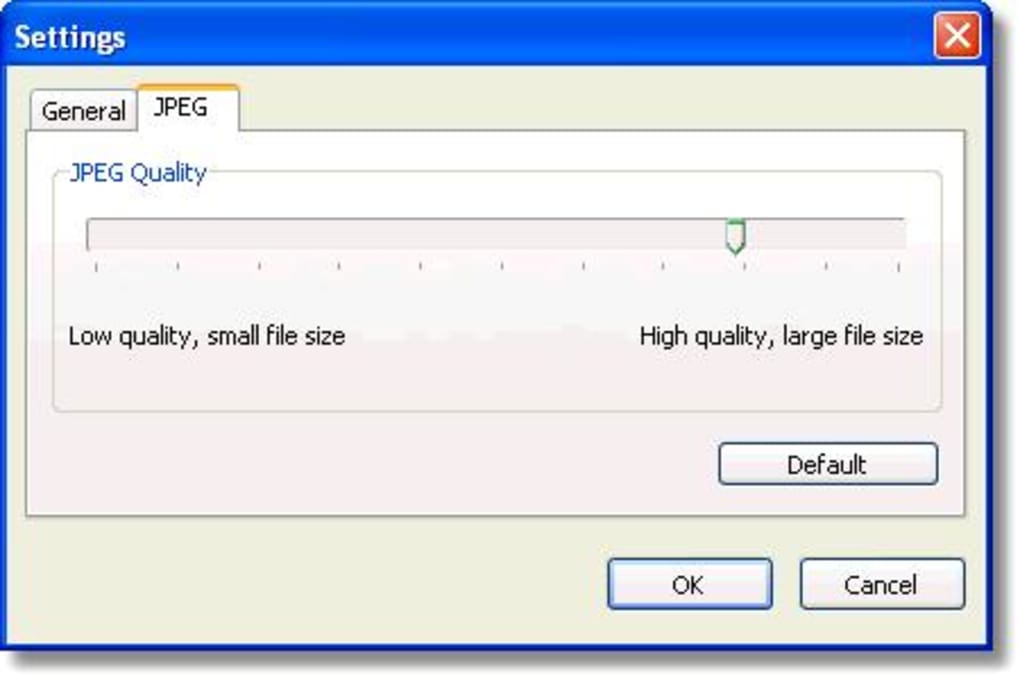
- Hidden text is unavailable for JPEG files due to compression.
- Advanced SVG manipulation is limited compared with premium graphic editors.
- While batch processing is fast, extremely large libraries (>10,000 images) may require more RAM.
Frequently Asked Questions
Can I use 1 More WaterMarker for commercial projects?
Yes. The software is free for both personal and commercial use. There are no licensing fees, and you may apply watermarks to client images, product photos, or any other commercial material without restriction.Does the program alter the original image quality?
When you choose to keep the original format, 1 More WaterMarker writes the watermark directly onto the file without recompressing it, preserving the original quality. If you export to a different format, you can set the compression level to balance file size and fidelity.Is the hidden text truly invisible to the naked eye?
The hidden text is embedded as metadata that most image viewers ignore, making it invisible during normal browsing. Specialized tools or metadata editors can extract the hidden note, providing a discreet way to prove ownership.How does batch processing handle different image dimensions?
The watermark is applied relative to the image’s edges, using percentage‑based offsets. This means the same watermark will appear proportionally the same on both small and large photos. You can also set separate offset values for each orientation if needed.Will the software collect any personal data?
No. 1 More WaterMarker is designed to be privacy‑first. It does not send telemetry, usage statistics, or image data to external servers. The only network activity occurs when you manually check for updates.Conclusion & Call to Action
Protecting your visual content doesn’t have to be a costly, time‑consuming ordeal. 1 More WaterMarker offers a perfect blend of simplicity and power, allowing you to secure photos with custom text, logos, or hidden notes in just a few clicks. Its batch‑processing capabilities mean you can watermark entire portfolios in minutes, while the semi‑automatic mode ensures you never lose creative control over individual images. Because the app is completely free, regularly updated, and respects user privacy, it stands out among other watermarking utilities that often charge for premium features or embed unwanted ads.
Whether you’re a freelance photographer, a small‑business owner, or a social‑media influencer, adding a consistent watermark reinforces your brand and deters unauthorized use. Download 1 More WaterMarker today, apply your signature, and enjoy peace of mind knowing your images are marked, protected, and ready for the web.
Click here to download the free installer now and start safeguarding your pictures instantly.
Pros: Free, batch processing, hidden text, precise positioning.
Cons: No mobile app, hidden text not for JPEG, limited SVG editing.
Guides & Tutorials for 1 More WaterMarker
How to install 1 More WaterMarker
- Click the Preview / Download button above.
- Once redirected, accept the terms and click Install.
- Wait for the 1 More WaterMarker download to finish on your device.
How to use 1 More WaterMarker
This software is primarily used for its core features described above. Open the app after installation to explore its capabilities.
User Reviews for 1 More WaterMarker 0
No reviews found





